

My Role
UX Designer
Team
Product Manager
Engineering
Support Ops
Target Audience
Sellers
Admins
Platform
B2B SaaS CRM
Summary
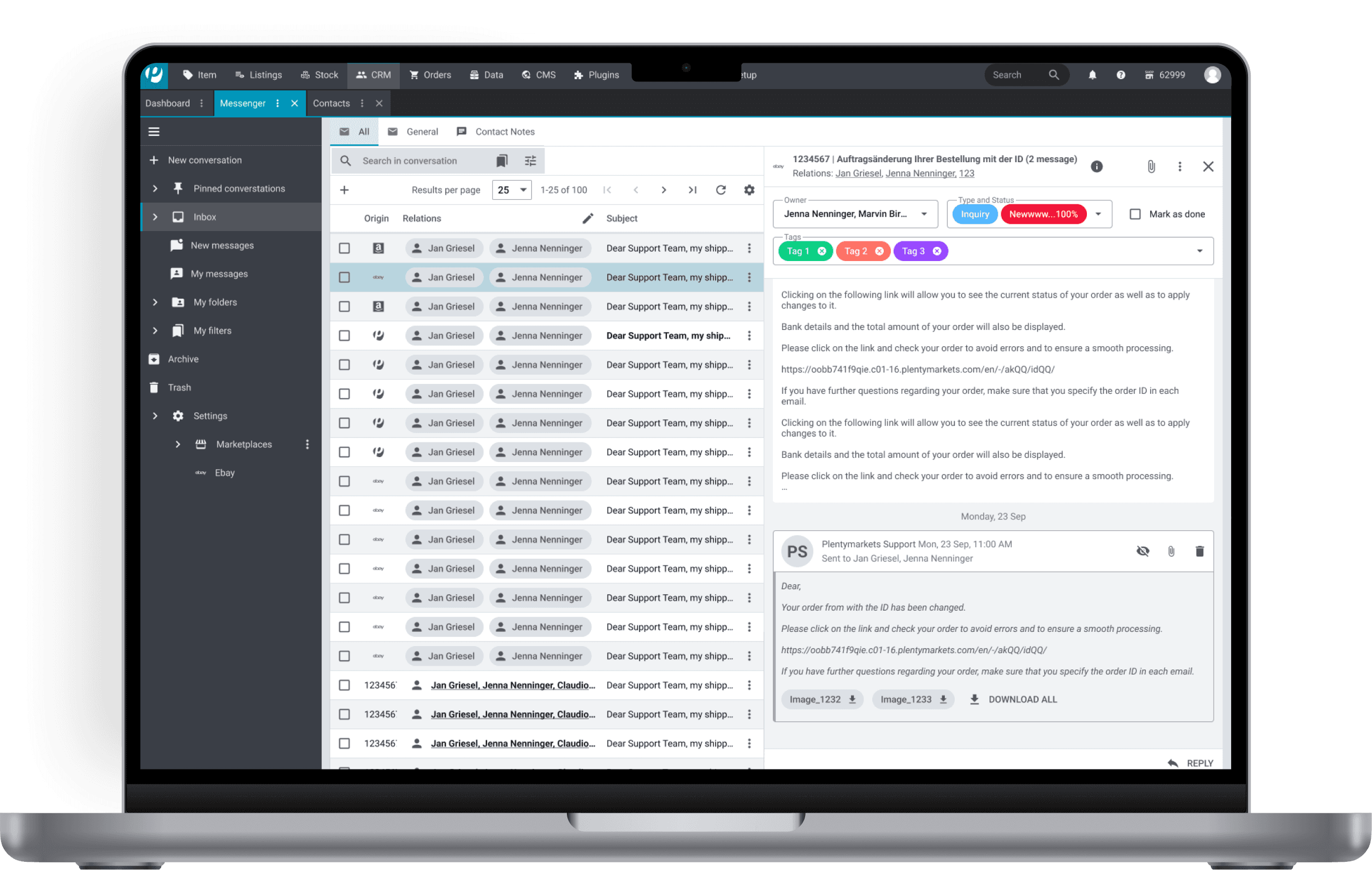
I led the research and redesign of a B2B CRM messenger that had failed to achieve adoption post-launch. Through data-driven UX improvements focused on workflow efficiency, I eliminated dual-system usage, achieved critical mass adoption of the system.
Design Challenge
Redesign messenger experience that could make high-frequency support workflows faster and more intuitive than the tool they'd relied on for years.
Context
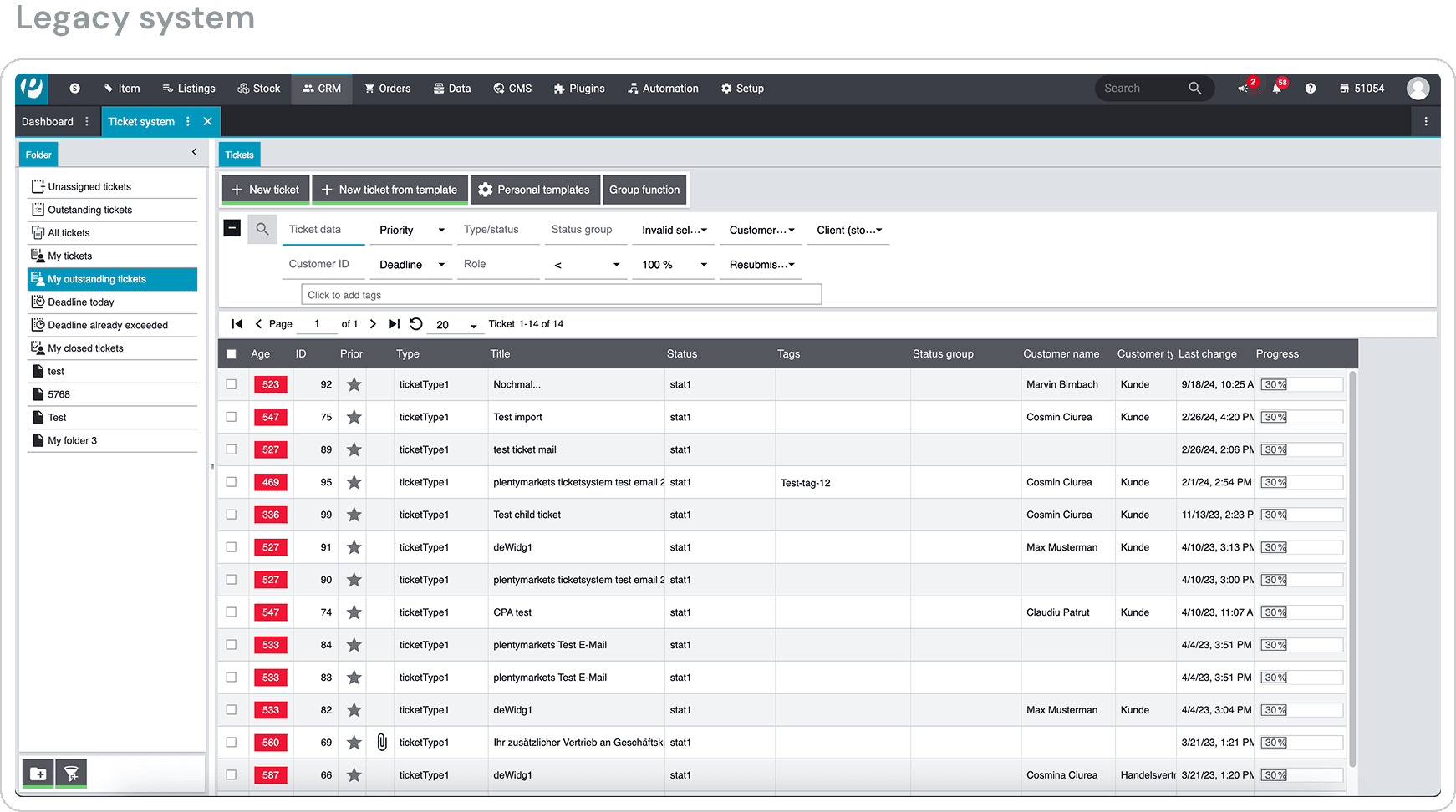
Nine months after the company invested significantly in modernizing their CRM from a legacy ticketing system to a new messenger platform, adoption had stalled at just 20.1% exclusive usage. Nearly 41% of the support team remained dependent on the old system, and 9.6% were trapped using both creating operational chaos.
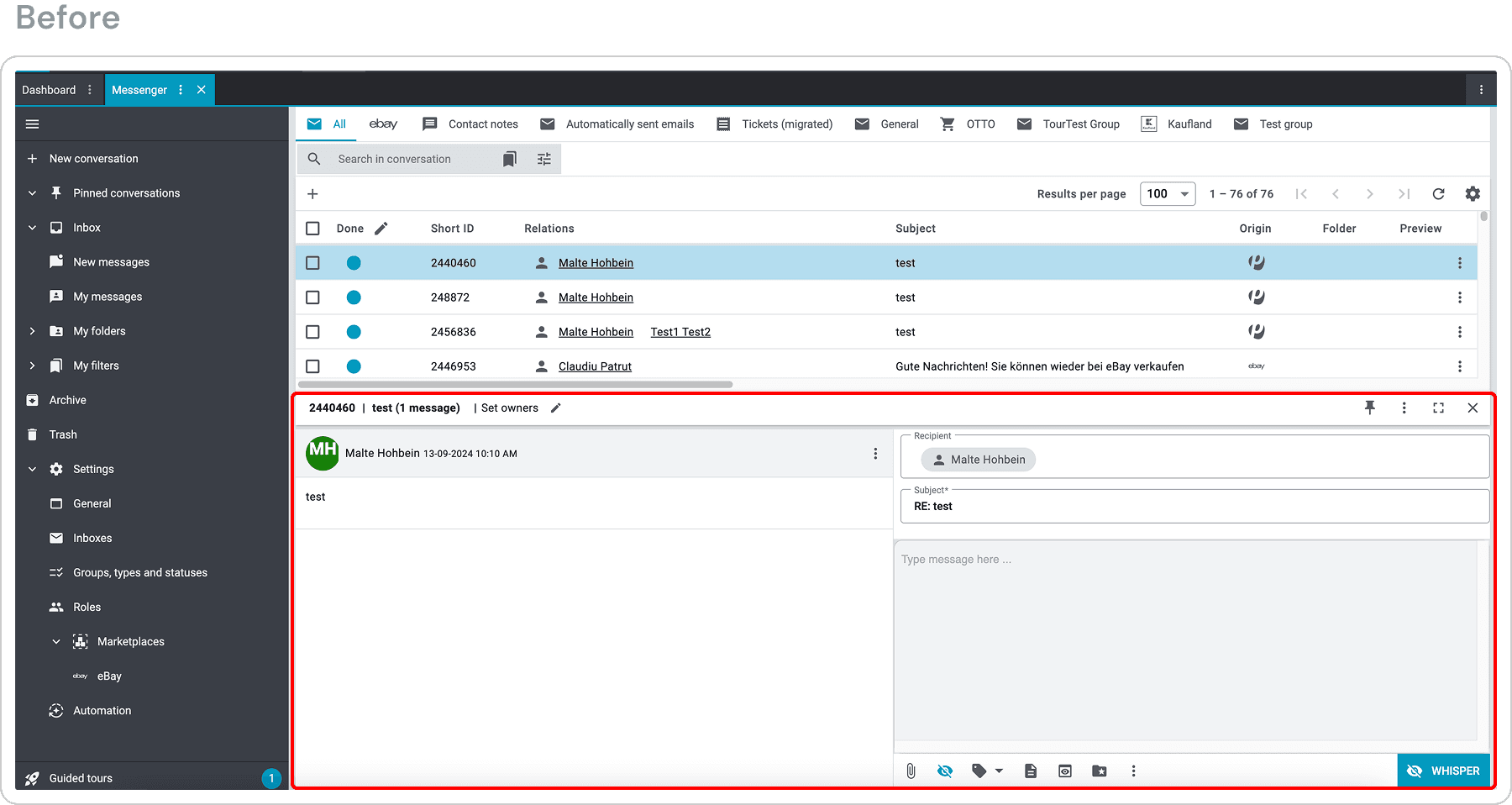
The existing messenger relied on modern UI patterns and visual polish, but buried high-frequency actions behind multi-step menus. This approach slowed support workflows, frustrated power users, and weakened confidence in the platform's value. To meet enterprise efficiency requirements and enable legacy system retirement, we needed to fundamentally redesign the messenger around actual workflow patterns rather than interface conventions.
Key Responsibilities
Analyzed usage data to identify frequency-visibility mismatches in feature hierarchy
Conducted competitive teardown of Freshdesk, HubSpot, and internal legacy system
Mapped high-frequency workflows to calculate click reduction opportunities
Defined progressive disclosure patterns for primary vs. secondary actions
Created resizable layout system to maximize message reading area
Collaborated with Product, Engineering, and Support Ops to align on adoption metrics
Problem
Support teams needed to handle 40-50 tickets daily with speed and accuracy. The messenger's design prioritized visual hierarchy over task frequency, creating friction in every workflow and making the legacy system objectively faster despite being a decade old.
Why it mattered
Maintaining two complete systems indefinitely
Losing productivity to dual-system context switching
Facing data integrity issues from cross-platform workflows
Risking complete project abandonment and sunk cost writeoff
Goals
Achieve critical mass adoption to enable legacy system retirement
Eliminate dual-system usage and associated operational overhead
Reduce clicks and time for primary support workflows
Increase user satisfaction and confidence in the platform
Establish workflow-first design patterns for future enterprise tools
Research
Surveys: Gathered responses from 15 users to uncover pain points and feature preferences
Stakeholder Interviews: Aligned on business goals, legacy system and expectations
Competitive Analysis: Compared our messenger against Freshdesk, Hubspot, and Greyhound
Usage Analytics (New Relic): Analyzed feature usage patterns to differentiate essential from redundant actions
Task Flow Review: Mapped out common workflows to identify inefficiencies

Key Findings
My research revealed that users didn't resist the messenger because it was modern—they resisted it because it was slower than the tool they'd mastered. This fundamental insight reshaped our entire approach.
Core support actions (replying, tagging, assigning, resolving) required multiple navigational steps, increasing effort in workflows performed dozens of times per day.
Message content—the primary job to be done—occupied only 34% of the viewport, while navigation panels, feature sidebars, and whitespace consumed the remaining 66%. Users couldn't read full customer messages without scrolling within a constrained panel. This forced constant window resizing and created friction in their core workflow.
"I often work with templates, and the reply area feels too small to comfortably review and edit them. It makes it harder to read through the content and respond confidently."
Low-usage features were persistently visible, increasing cognitive load and distracting users during reading and response formulation.
Support agents were frustrated that the features they needed daily were hidden while features they rarely (or never) used were prominent.
Strategy
Based on insights, I worked on three non-negotiable principles:
Design for frequency: Prioritize actions performed dozens of times per day over edge cases performed occasionally.
Reduce interaction cost for replying, tagging, assigning, and resolving messages
Accept that low-frequency actions may be less prominent if it improves daily efficiency
Preserve proven mental models: Build on workflows users already trust instead of introducing new interaction patterns.
Align layouts and behaviors with legacy and competitor tools users are already fluent in
Avoid novelty that slows experienced users under time pressure
Protect cognitive focus during core tasks: Minimize visual noise so reading and responding become the dominant activities.
Allocate screen space based on task importance, not feature availability
Defer secondary actions until they are contextually needed
Solution
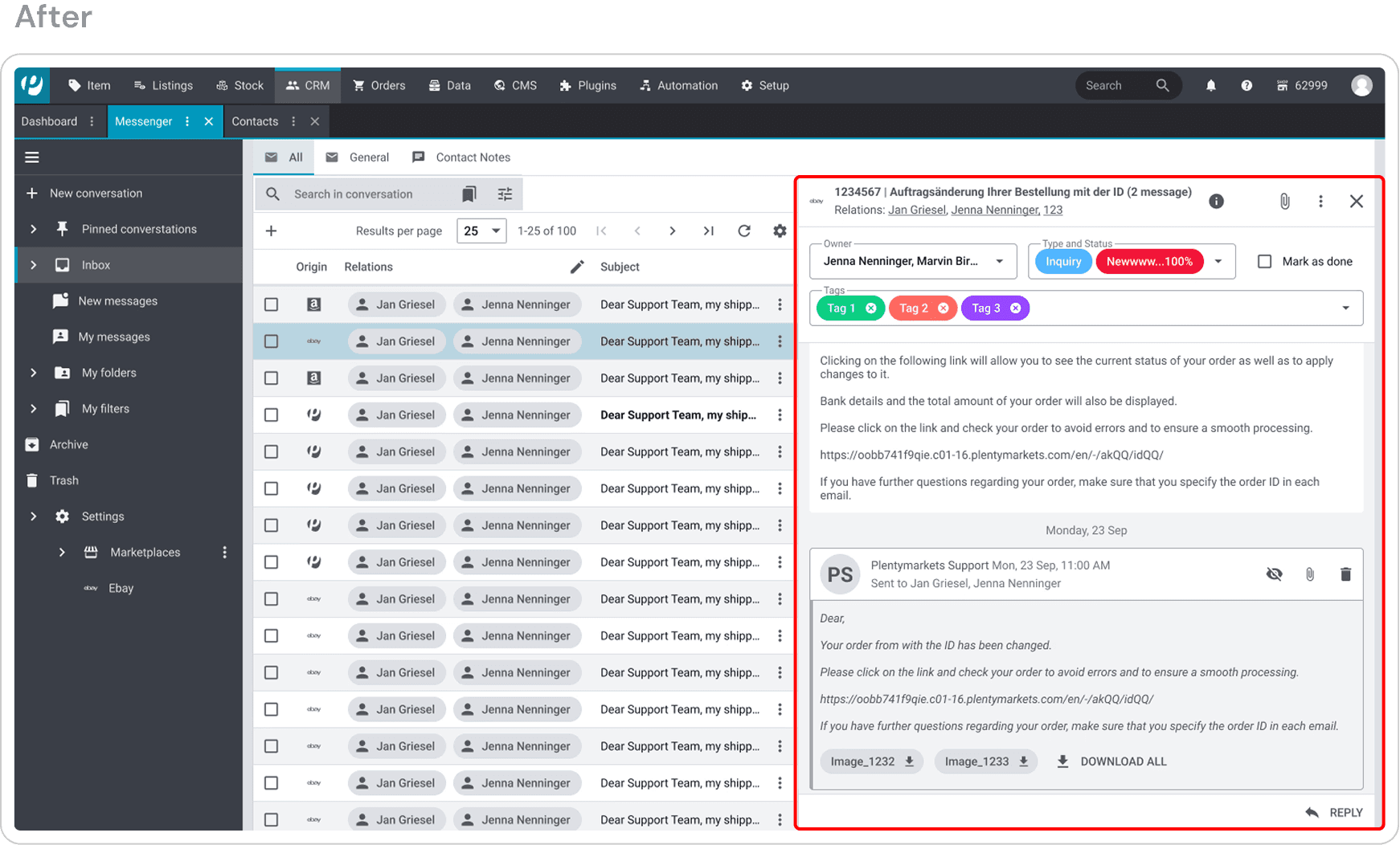
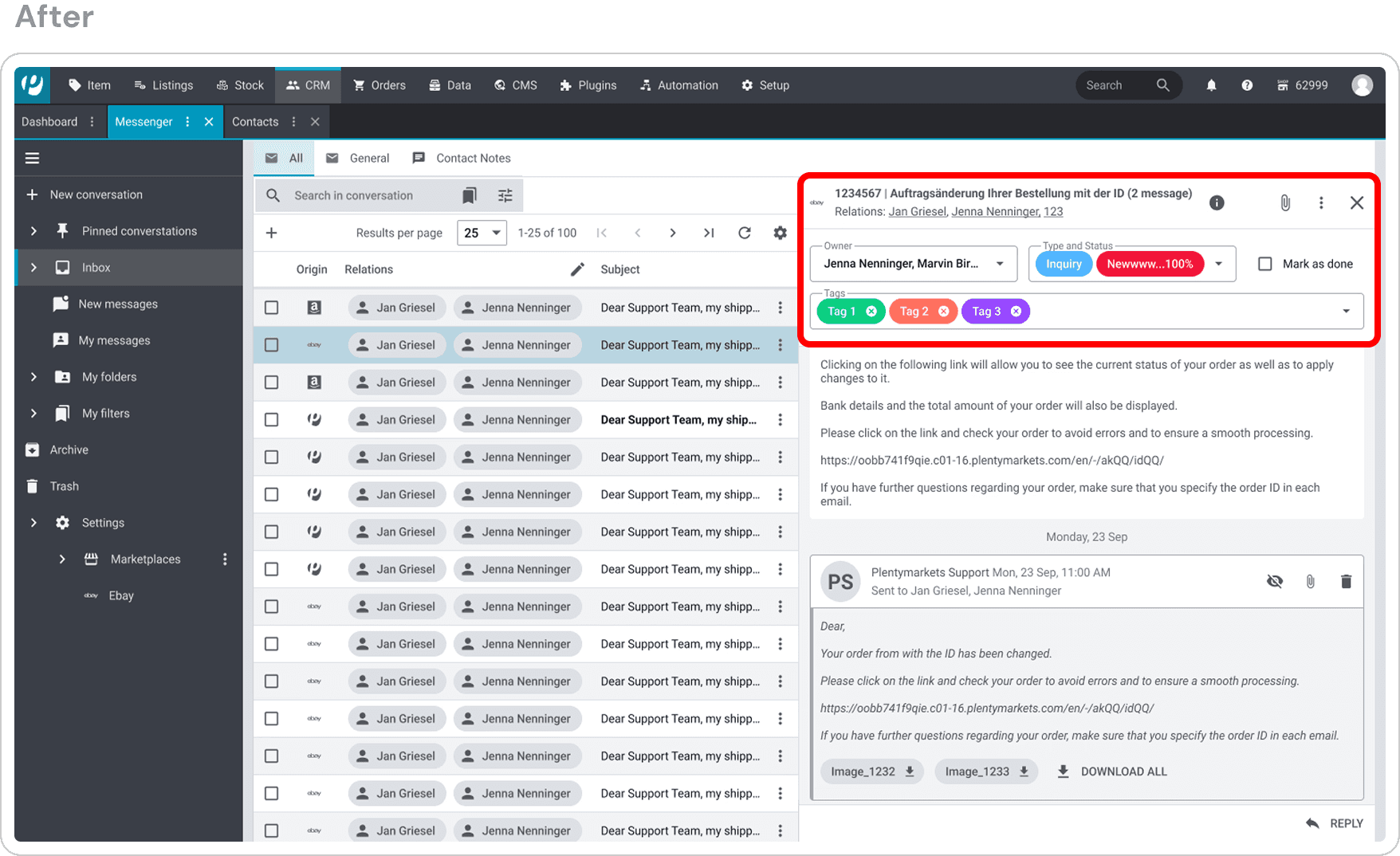
Shift the layout to be message first
Expanded the message reading area to prioritize content over controls.
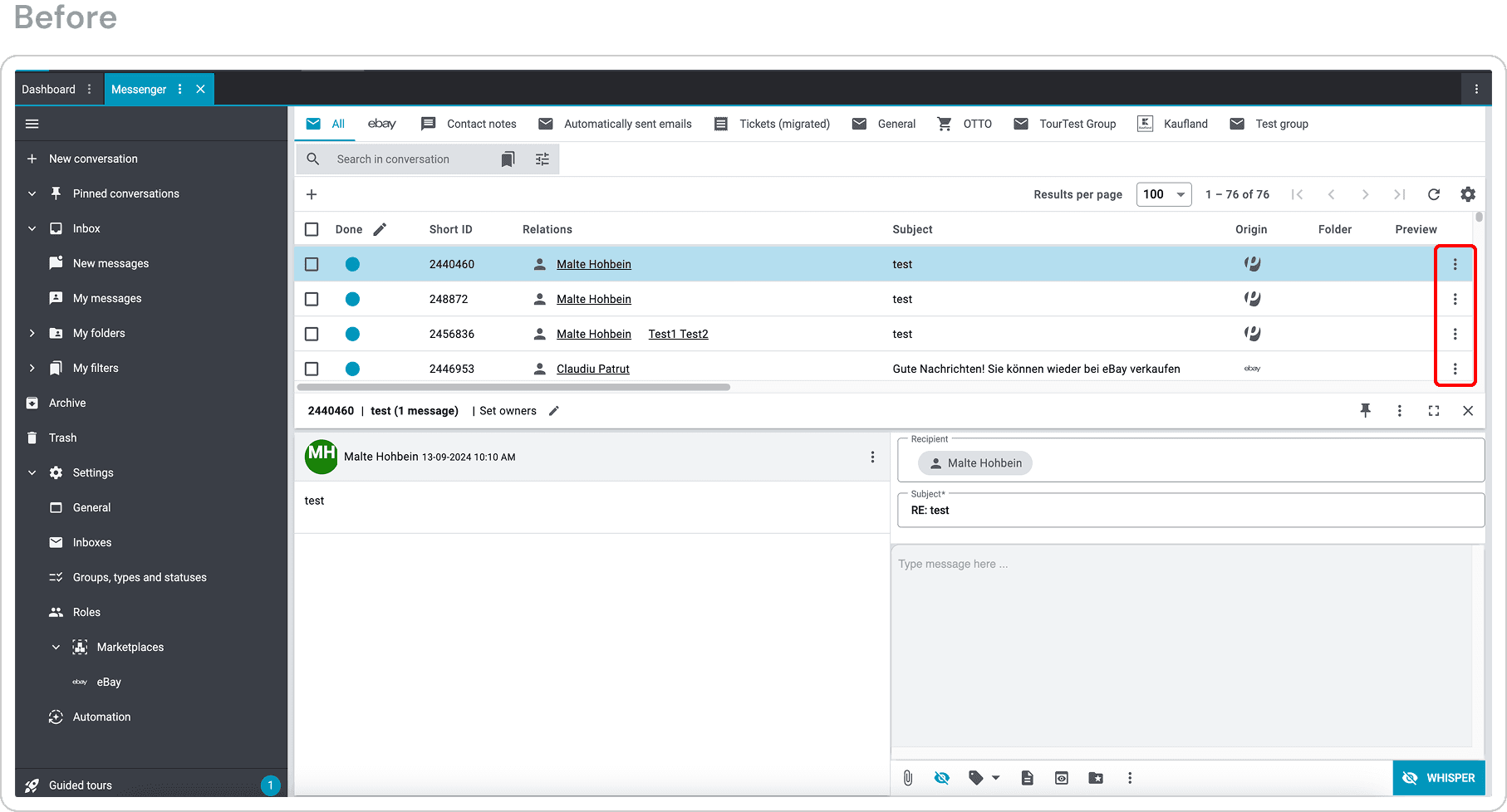
Removed or de-emphasized persistently visible elements that were rarely used.
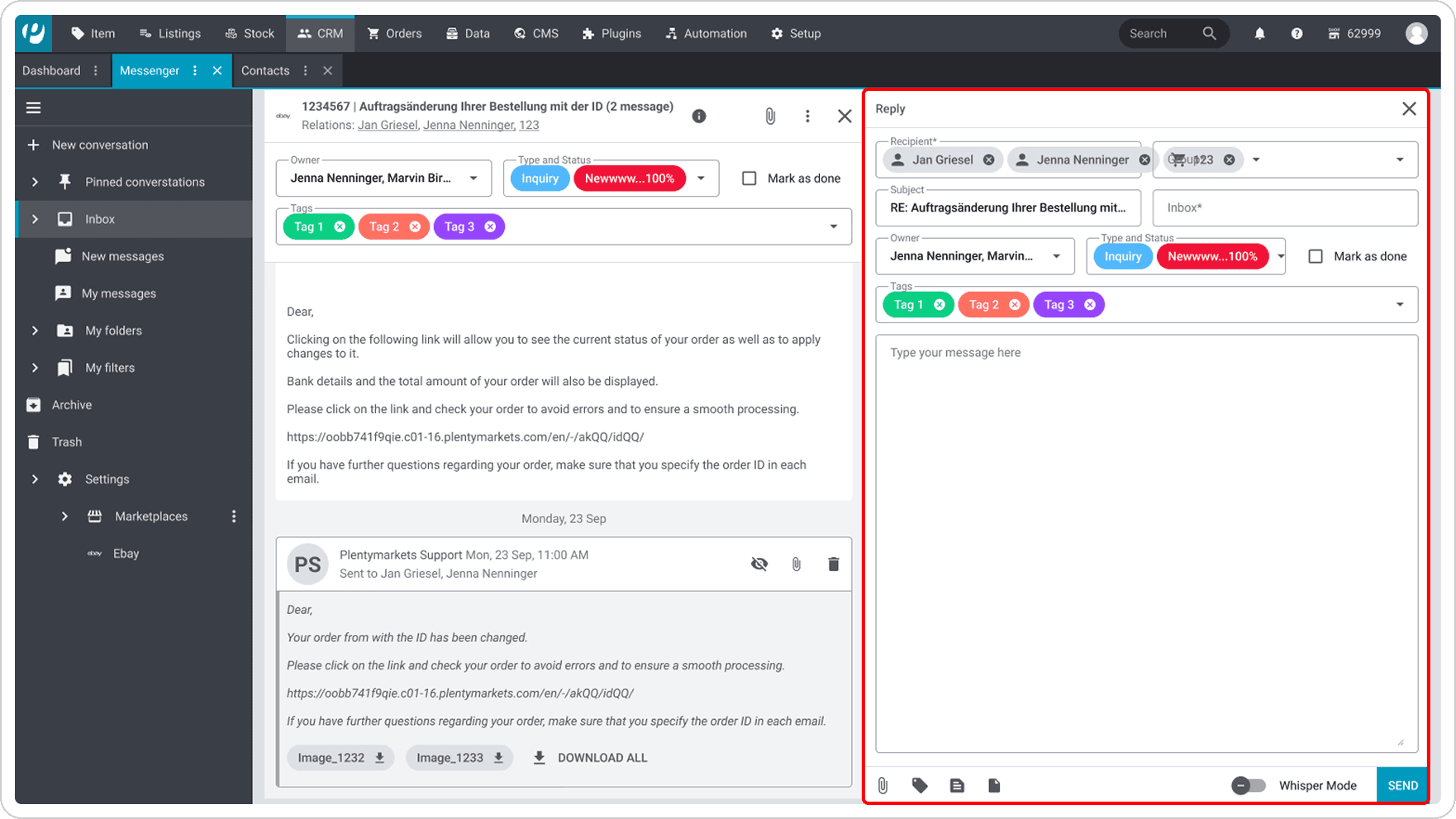
Introduced a collapsible reply panel to reduce visual noise while reading.
Introduce progressive reply interaction
Kept the reply panel collapsed by default during message reading.
Expanded the writing area inline only when the user actively chose to reply.
Maintained full message context while composing responses.
Reduce interaction cost for daily actions
Promoted the four most frequently used actions (reply, tag, assign, mark as done) into the primary interaction area.
Moved low-frequency and administrative actions into secondary menus.
Reordered actions based on actual usage frequency rather than feature parity.
Constrains
The messenger needed to surface a high volume of information within a fixed screen size, leaving little flexibility to add new structural elements.
Trade-off: I chose to remove a persistent header in this area to reclaim vertical space for message content, even though this deviated from the standard design guidelines. In this context, prioritizing readability and task efficiency outweighed strict adherence to global layout conventions.
Leadership had decided to deprecate the legacy system due to maintenance overhead, creating a compressed delivery timeline.
Trade-off: The redesign focused on improving core, high-frequency workflows rather than modernizing the design.
Due to time and operational constraints, only 6–7 experienced support agents were available for evaluative feedback before production release.
Trade-off: I prioritized feedback from high-usage, domain-expert users over broader but shallower validation. These users best represented real-world, high-pressure usage and could validate whether the redesigned workflows would work in practice.
Outcome
User satisfaction improved, with support agents sharing positive feedback about the redesigned messenger in internal forums and feedback channels. Users shared that the new experience better supported their daily workflows and reduced friction when reading and responding to messages.
The redesigned messenger is now live in plentyone’s customer management and communication product. The company achieved its goal of moving to a single-system support workflow, enabling the successful retirement of the legacy system.
Reflection
Adoption depends more on workflow fit than visual polish, especially in high-pressure enterprise environments.
In enterprise tools, efficiency, speed, and predictability often matter more than introducing new interaction patterns.